
Sanity’s new features from Everything NYC 2026, explained simply
After attending Everything NYC 2026, I wanted to take a closer look at the features Sanity announced. Here’s what they do, where they could help, and which ones are available to try.

What could these updates change for your business?
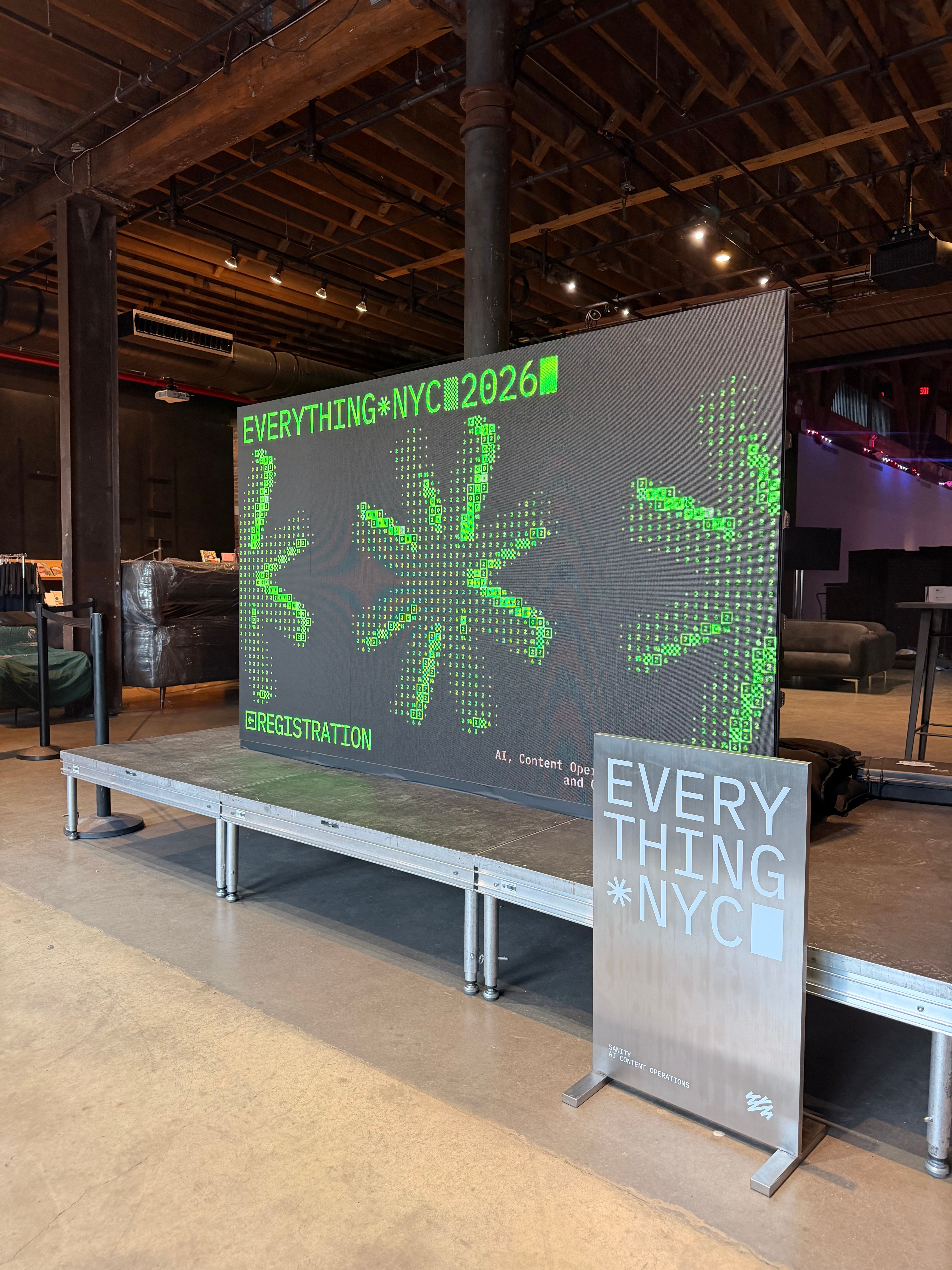
At Everything NYC 2026 in Brooklyn, Sanity introduced seven updates covering AI, content management, personalization, and development.
Some of the names need a little explanation. “Durable Functions” probably means something to a developer, but very little to someone who just wants their website to work reliably.
As the founder of 1367 Studio and a Sanity Pioneer for 2026, I’m interested in how these tools could help with everyday problems: finding information, getting content approved, and reducing repetitive work.
Here’s my breakdown, with examples of how we might use them.
1. Knowledge Bases: giving AI useful information to work with
An AI assistant answering questions about your business needs access to the right information.
Knowledge Bases, part of Sanity Context, is designed to give agents a knowledge resource they can use when responding to questions. This is particularly relevant for assistants that interact directly with customers.
Imagine an assistant on a school’s website. A parent asks about registration, available courses, or the documents they need. A possible use would be to connect that assistant to the school’s information so it can find relevant answers.
For developers, this provides a foundation for connecting agents to business knowledge. For customers, the goal is less searching and more useful answers.
The quality and accuracy of the source content still matter. A knowledge base does not remove the need to maintain your information or test the assistant.
2. Workflows: making the next step clear
Content often needs several people’s input before it is ready.
Someone writes a page, someone reviews it, and someone approves it. Without a clear process, the status can end up scattered across emails and chat messages.
Workflows introduces a flexible way to manage content states across the interfaces your team uses.
For example, an agency could set up these stages:
Draft, internal review, client approval, ready to publish.
For the team, this could make it easier to see what needs attention. For developers, the workflow becomes something they can build into the content system.
The important work is agreeing on a useful process first. Adding ten approval stages to a simple blog would probably create more work than it saves.
3. Content Variants: adapting content to different audiences
Different visitors may need different information from the same website.
Content Variants is designed to manage audience-specific content that developers can query and connect to a customer data platform, or CDP. A CDP is a system that brings together customer data to help identify audiences.
For example, a software company might want to explain its product differently to a small business and a larger organization.
This could help teams make their messaging more relevant while keeping those variations organized.
It still needs a clear reason to exist. Personalization is useful when it helps someone find the right information or understand an offer more quickly.
4. Durable Functions: helping longer processes finish
Some automated tasks involve several steps, external services, and human approval.
Durable Functions is designed to handle progress, retries, and processes that take time to complete.
A possible example would be preparing translations, waiting for a reviewer, and then sending approved content to another service.
For developers, the useful part is managing what happens between those steps, including interruptions. For a business, the benefit could be less manual checking and fewer unfinished tasks to chase.
This is especially relevant when AI and people share responsibility for a process.
5. Blueprints-first setup: keeping configuration under control
This announcement is mainly for developers, but clients benefit from a well-managed setup too.
Blueprints-first extends Sanity’s infrastructure as code approach. In plain language, that means describing the project setup in files developers can track and review.
The announced direction includes versioning configuration and deploying test setups before changing production.
For an agency, a possible use would be checking a configuration change in a separate environment before applying it to a client’s live project.
It is less visible than a new website feature, but it matters when maintaining projects over time.
6. Project Horizon: coordinating AI work over time
Project Horizon is Sanity’s internally developed system for coordinating multiple AI agents, with long-term memory.
An agent is software that can use tools to carry out tasks. A system coordinating several agents could divide a larger job between them while retaining context.
Imagine a content project involving research, drafting, and review. That is the kind of process I would want to explore with this approach.
The practical questions are how well it remembers decisions, how people review its work, and whether it reduces the effort needed to finish the project.
Those are things to evaluate through use.
7. Resonance: finding gaps in your content
It can be difficult to see what is missing from a website when you already know the business well.
Resonance is designed to build an evolving picture of a company, its audiences, and its content, then identify gaps and opportunities.
A possible use would be reviewing whether a service website answers the questions prospective customers need before contacting the business.
For example: who is the service for, how does the process work, and what information should someone prepare?
I’m interested in whether this could help teams prioritize useful improvements to existing content.
What can you try now?
The features are at different stages. According to Sanity’s official announcement recap, their status at the time of writing is:
| Feature | Availability |
| Knowledge Bases | Beta |
| Workflows | Beta |
| Content Variants Closed | beta, request early access |
| Durable Functions | Coming soon, early access signup |
| Blueprints-first | setup Coming soon, early access signup |
| Project Horizon | Experimental, early access signup |
| Resonance | Coming soon, early access signup |
An announcement is a starting point for evaluation. Availability, project fit, and the work needed to integrate a feature will all affect when it makes sense to use it.
What I want to explore at 1367 Studio
Knowledge Bases and Workflows are the first two I want to look at more closely.
They connect to straightforward needs: helping people find information and helping teams move content through a clear process.
My approach is to start with a specific task, test the feature against it, and judge the result. Does it save time? Is it easier to use? Can the team understand and control what happens?
That is how these announcements can become useful improvements for our clients.